Providing a list of documents in the body of the submittal email allows the recipient(s) to know the details of the submittal without having to open the transmittal file. To achieve this, an additional sheet (tab) can be added to the transmittal template, and the output can be generated in the email body.
Instructions:
1. Add a new sheet (tab) to transmittal template
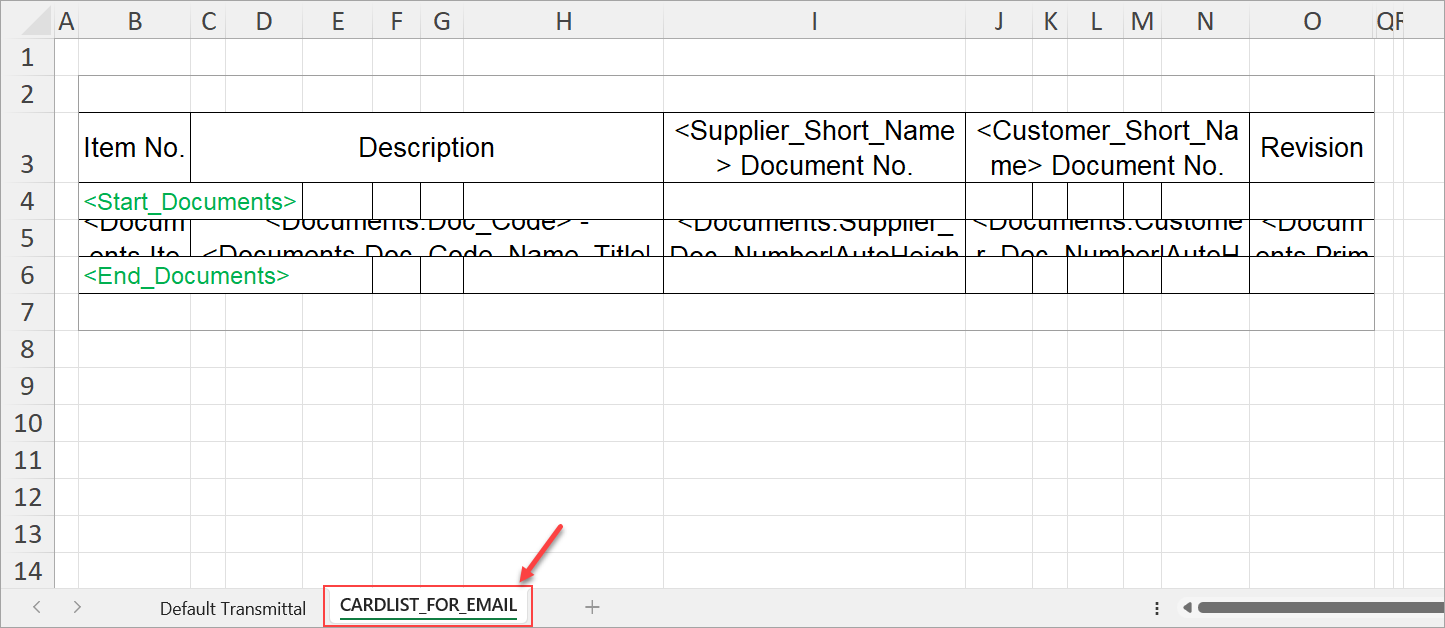
To begin, download your pre-existing transmittal template from the output templates screen (System Menu > Template Mgmt > Output Templates). Once downloaded, add a new sheet (tab) to the template and name it "CARDLIST_FOR_EMAIL". In the new sheet (tab), create a table with the information you would like in the email (e.g., customer document number, revision, etc.), and set up a transmittal array (using the transmittal variables).
Before saving and uploading the new template to DocBoss, make sure to set the print area (i.e., the range of cells that should be included in the output).
2. Update the email template
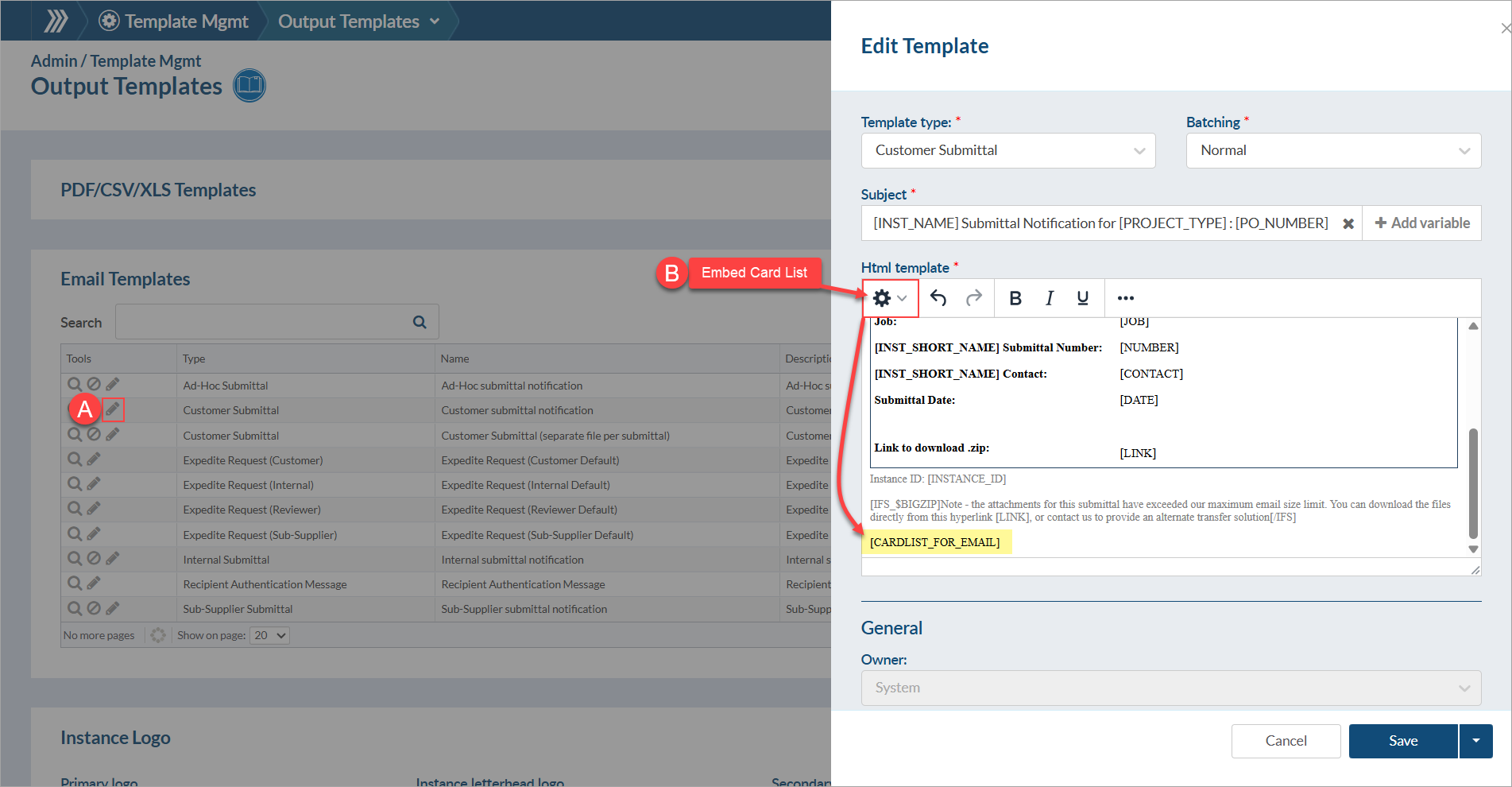
With the new transmittal template uploaded to the system, scroll down to the "Email Templates" section of the output templates page and click pencil icon under "Tools" to edit an existing template (OR create a new one). In the "Html template" section, click the area that you would like to add the card list (e.g., at the end of the email) and add the "Embed Card List" variable (by selecting it from the gear icon). Click "Save" to apply your changes.