By default, reviewer users do not have the ability to (a) create new incoming submittals, (b) upload files to pre-existing incoming submittals, and/or (c) assign files to cards within incoming submittals via Incoming Documents. However, reviewer user do have the ability to upload files directly to cards where they have been assigned for review (via Outstanding Actions - see article: Reviewer User Guide).
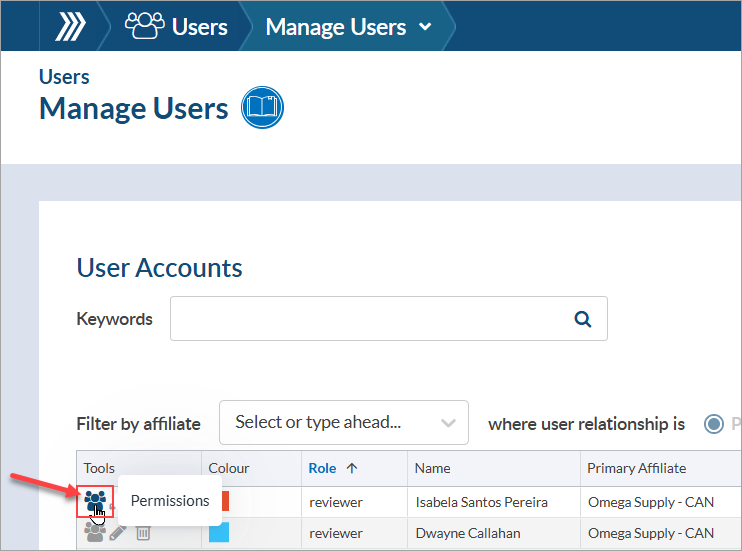
If a reviewer user(s) should have these abilities for incoming submittals (via Incoming Documents), the option can be enabled from the "Permissions" page of the appropriate user(s). To enable the option, navigate to the "Manage Users" page (System Menu > Users > Manage Users), search for the user(s) in the grid, and open the "Permissions" page (first icon under "Tools") of each user.
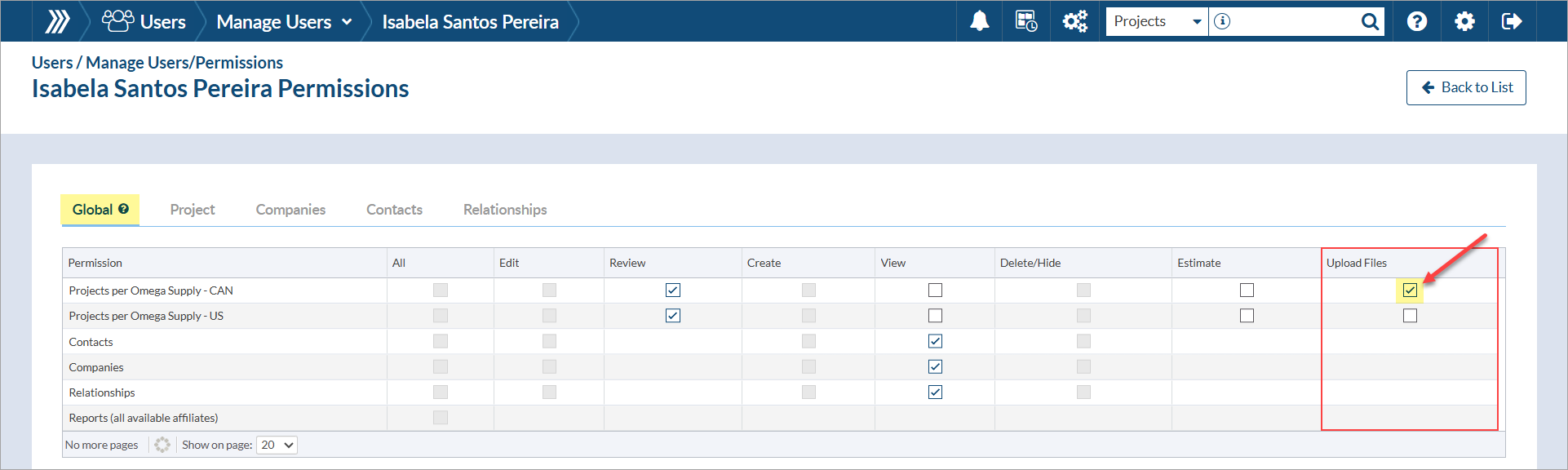
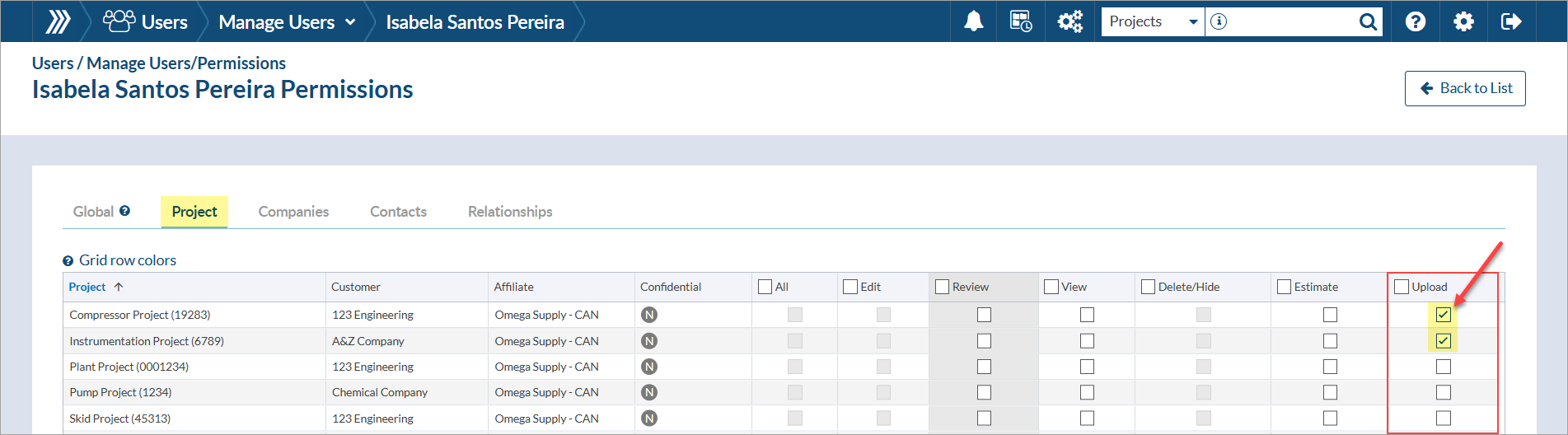
From the permissions page, choose whether the permission should be applied at the "Global" level (i.e., for all projects assigned to the affiliate) OR applied only to specific projects.
To enable the option globally, click the check box(es) for "Upload Files."
To enable the option per project, click the check box(es) for "Upload."
Keep in mind the following:
- This permission level allows the reviewer user to upload and assign files from any target.
- Upon assigning a file to a card, they will also have the ability to adjust the card data (from the assignment form) before saving. Editing card data is only possible during file assignment (and they do not have the ability to edit cards outside of this context - e.g., from the card list).