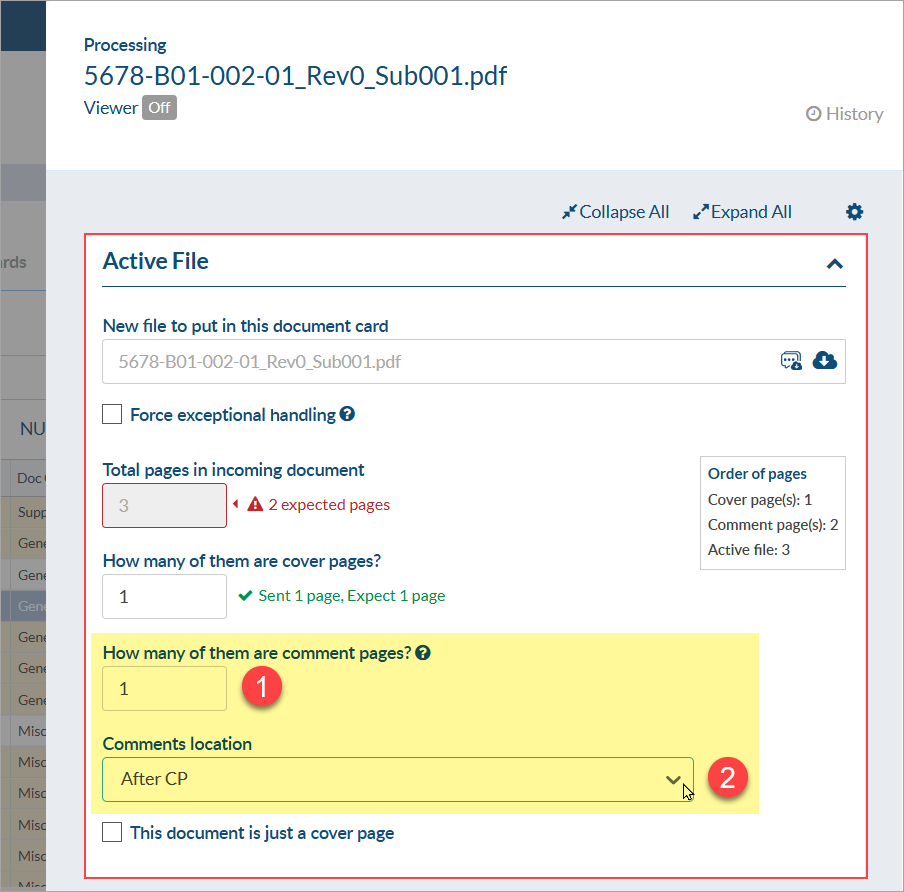
When you bring in a file from the customer and they return it with a comment page in the file, you can identify the comment page in the assignment screen. Once identified, DocBoss allows the user to determine the location of the comment and/or markup sheet(s) from the "Comments Location" field.
The location of the comment/markup sheet is defaulted from the "Position of markup summary page(s)" option selected on the "Main" tab of the project configuration page (Project Menu > Project Configuration > Main > Submittal Defaults > Markup Output > "Position of markup summary page(s)").
In the assign screen, after dragging and dropping the file to the card:
1) Enter the number of pages that are comment pages
2) Choose the comments location within the file from the drop down.
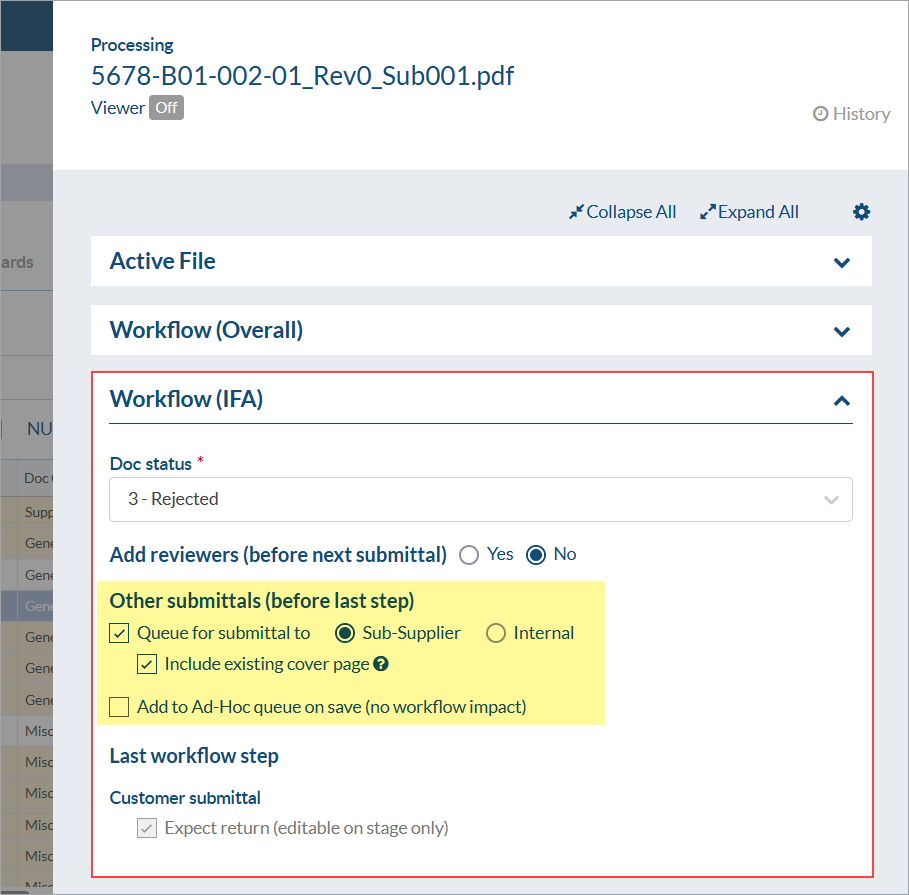
Then users can select routing to sub-supplier and internal.
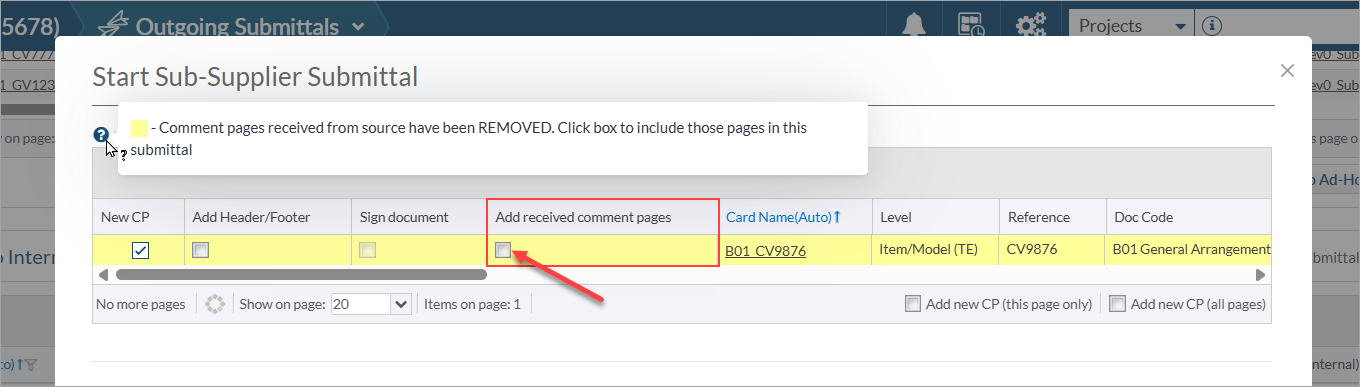
By default, comment sheets uploaded to DocBoss will not be included in the next outbound submittal. If desired, users can choose to include comment sheets using the checkbox on the outbound submittal grid (for each card).